
LIEquity Insights
Property Preservation Invoice Documentation: A Field-to-Invoice Checklist
Learn how work orders, before-and-after photos, completion records, approvals, pricing, and invoice matching can reduce property preservation invoice verification delays.
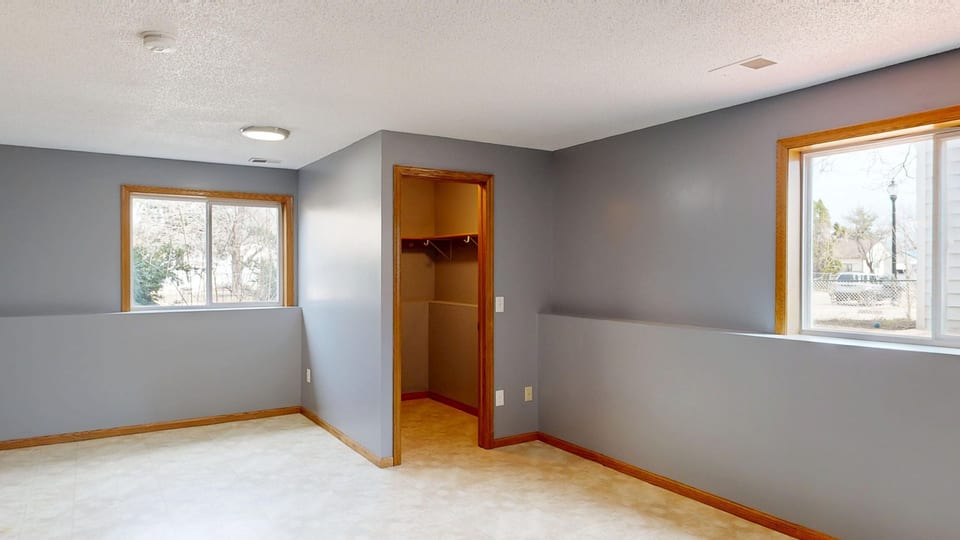
Property preservation invoices are easier to verify when the invoice tells the same story as the work order, field evidence, completion record, and approved price. When those records disagree—or when one is missing—an otherwise valid invoice can move into a review queue while the client asks for clarification.
The goal is not to create more paperwork for its own sake. It is to create a clean documentation chain that lets a reviewer answer a few practical questions quickly: What was authorized? What work was performed? Where and when was it completed? Who approved any change? Does the billed amount match the approved scope and pricing?
What an invoice reviewer needs to match
A property preservation invoice typically needs to connect six items:
• Work order: The property address, client or servicer reference number, requested service, due date, and authorized scope. • Field documentation: Before, during, and after photos; inspection notes; vendor notes; and any property-specific observations required by the client. • Completion record: The date of service, technician or crew information where required, completed-task confirmation, and any exception notes. • Approval trail: Written approvals for bid work, overages, change orders, emergency work, or work outside the original order. • Pricing support: The applicable price schedule, approved bid, not-to-exceed amount, unit count, receipts, or other support required for reimbursable items. • Invoice: A bill that uses the same identifiers, scope descriptions, dates, quantities, and amounts reflected in the supporting records.
A reviewer should not have to infer how an invoice relates to a work order. Clear reference numbers and consistent descriptions make that connection easier.
Build the file before dispatching the crew
Many documentation problems begin before work starts. A dispatcher may send a crew with a verbal instruction, an incomplete work order, or an outdated price list. The crew then completes useful work but lacks the information needed to document it to the client’s standard.
Before dispatch, confirm:
• The correct property address, including unit, lot, or building identifier when applicable. • The work order number and client reference number that must appear in photos, reports, and invoices. • The precise authorized scope, including quantities or units of measure. • Required photo types, labels, timestamps, angles, or upload procedures. • Whether materials, debris hauling, repairs, lock changes, or other items need prior approval or separate bids. • The approved price schedule or bid amount. • Any property access, safety, occupancy, utility, or vendor coordination notes that could affect the work.
This pre-dispatch review helps prevent a common mismatch: a crew documents the condition it found, while the invoice later bills for a broader scope that was never clearly authorized.
Photos should prove the task, not merely show the property
Before-and-after photos are often the fastest way to validate field work, but only when they show enough context. A wide exterior photo may establish that a crew visited the location, yet it may not support a billed lock change, debris removal, grass cut, board-up, winterization, or repair.
Useful photo sets generally make four things clear:
• Location: The images can reasonably be tied to the correct property or work area. • Condition before work: The issue requiring service is visible before the work begins. • Work completed: The after photo shows the completed result from a comparable angle when possible. • Scope and quantity: The images support the billed unit, such as a specific door secured, a distinct debris area removed, or the applicable service area.
Photo files can create delays when they are blurry, duplicated, uploaded under the wrong work order, taken too far away, or missing the specific condition associated with the charge. Photos taken days after completion can also raise questions if the completion record states a different service date. If a client requires a particular naming convention or photo sequence, treat it as part of the work order rather than an administrative afterthought.
Completion records need exception notes
A completion record should confirm what was done, when it was done, and whether anything prevented full completion. It should align with the invoice, but it should not hide exceptions.
For example, if a crew was assigned to remove exterior debris but encountered a locked gate and could only service the accessible area, the record should say so. If a work order requested a standard lock change but the door required repair before it could be secured, that condition should be documented and escalated for approval before billing additional work.
A concise completion note might include:
• Service date and time window, if required. • Work order and property identifiers. • Tasks completed and quantities. • Materials installed or removed, when relevant. • Conditions found that changed the scope. • Whether approval was obtained for additional work. • Items deferred, denied, inaccessible, or awaiting further instruction.
This reduces a frequent verification issue: an invoice charges for completed work while the closeout record indicates only an attempted visit or a partial completion.
Approvals are the bridge between changed scope and billable scope
Property conditions can change quickly. A field team may find storm damage, vandalism, unsafe access, additional debris, a broken window, or a utility problem that was not included in the original assignment. The extra work may be necessary, but necessity alone does not show that it was approved for billing.
When the field scope changes, preserve the approval trail with the work order file. That trail may include a client portal authorization, written email approval, an approved bid, or another client-designated record. It should identify the property, the added scope, the approved amount or pricing basis, and the approving party or reference.
Avoid billing an estimate as though it were an approved charge. If approval is pending, separate the completed authorized work from the proposed additional work so the invoice status is clear.
Pricing mismatches that trigger questions
Pricing issues are not always disputes about the work itself. They are often data problems. Common examples include:
• A unit rate on the invoice differs from the current client price schedule. • The invoice lists one quantity while the photos or completion record support another. • A flat-rate service is billed alongside components that may already be included in that rate. • A material or disposal charge lacks a required receipt, bid, or approval. • An emergency or after-hours charge is billed without supporting authorization. • The invoice uses a generic description that cannot be matched to a priced work-order line.
Use the client’s required price basis whenever one exists. If an amount is based on an approved bid rather than a schedule, reference the bid or approval number directly on the invoice. If an invoice includes multiple work orders or properties, keep each property and authorization distinct rather than combining charges into a single vague line item.
A practical invoice-matching review
Before submitting an invoice, conduct a short match review. Start with the invoice and work backward:
- Match the property address and work-order number to the assignment.
- Match each invoice line to an authorized work-order line or a separately approved change.
- Confirm that service dates in the invoice, completion report, and photo record do not conflict.
- Confirm that billed quantities and units match the completion record and visible evidence.
- Confirm that the price matches the applicable schedule, approved bid, or written authorization.
- Confirm that required photos, receipts, signatures, and exception notes are attached or available in the correct system.
- Check that the invoice status reflects reality: completed, partially completed, pending approval, rebid required, or another client-defined status.
A simple example: a work order authorizes a lawn service at one property. The crew’s photos show the address and the serviced area, and the completion note records the service date. If the invoice bills a larger service area or adds debris hauling, the reviewer will need evidence that those charges were included in the authorization or separately approved. Submitting the lawn service as its own supported line while holding the unapproved addition can be clearer than sending one invoice that mixes confirmed and unresolved charges.
The documentation problems most likely to slow payment
The following issues commonly create follow-up requests or verification delays:
• Incorrect, missing, or inconsistent property and work-order identifiers. • Before-and-after photos that do not show the same area or do not support the billed task. • Missing completion dates, conflicting dates, or unclear evidence of when work occurred. • Invoice descriptions that are broader than the original scope. • Additional work performed without a preserved approval record. • Charges that do not match a price schedule, bid, quantity, or required receipt. • Duplicate invoice numbers, duplicate charges, or invoices submitted before required closeout documentation is complete. • Partial work billed as full completion without a clear exception note. • Files uploaded to the wrong property, work order, or client portal record.
These are operational issues that can often be reduced with a consistent handoff between dispatch, field crews, quality control, and billing.
Make billing a controlled handoff
A reliable process assigns ownership at each point. Dispatch confirms the authorized scope. The field team captures the required evidence and flags exceptions. A reviewer checks photos, notes, quantities, and approvals before billing. Billing submits only the charges that can be matched to the completed file.
For businesses using invoices to support working-capital planning, clean files matter beyond internal bookkeeping. Invoice purchasers or factoring providers may review the customer, invoice, and underlying documentation as part of their process, and requirements vary by provider and account. Keeping work-order evidence organized can make it easier to respond when documentation is requested. Learn more about property-preservation factoring and general invoice requirements before assuming a particular invoice will qualify.
The practical standard is straightforward: every billed line should be traceable to an authorized scope, supported by completion evidence, priced on an identifiable basis, and tied to the correct property and work order.